Sakinisha demo ya Fortune Tiger kwenye iPhone yako
Three taps in Safari · about 1 minute
Hatua kwa hatua
Step 1 — Menu button
Open the demo page (link at the end of this guide) and tap the menu button (three lines) at the bottom of the screen in Safari's toolbar.
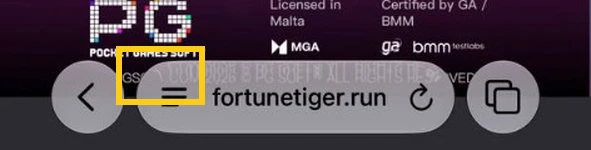
Current iOS

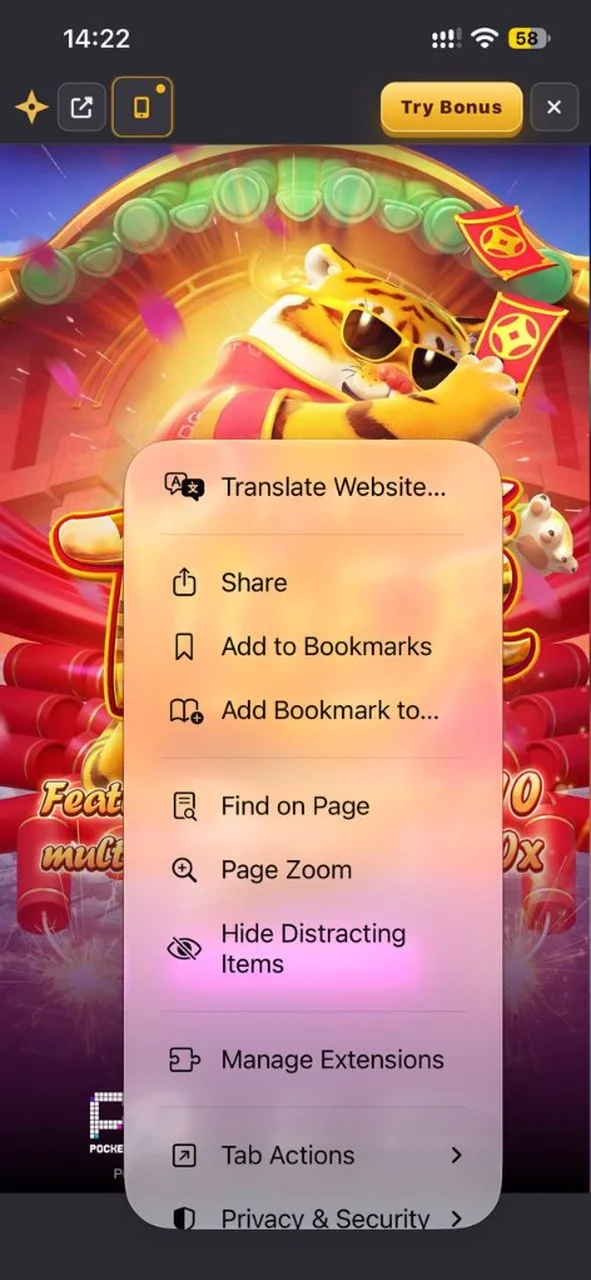
Step 2 — Share
Choose Share — in Safari this is usually the square with an up arrow.

Current iOS
Step 3 — Add to Home Screen
Scroll the list of actions and choose Add to Home Screen. If it is not listed, open Edit Actions at the bottom and turn it on. In the next sheet, if iOS offers Open as Web App, turn it on, then tap Add.
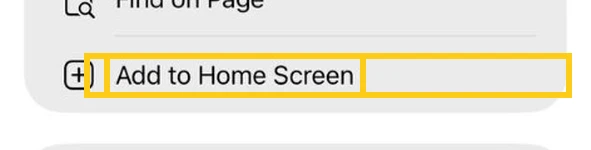
Current iOS
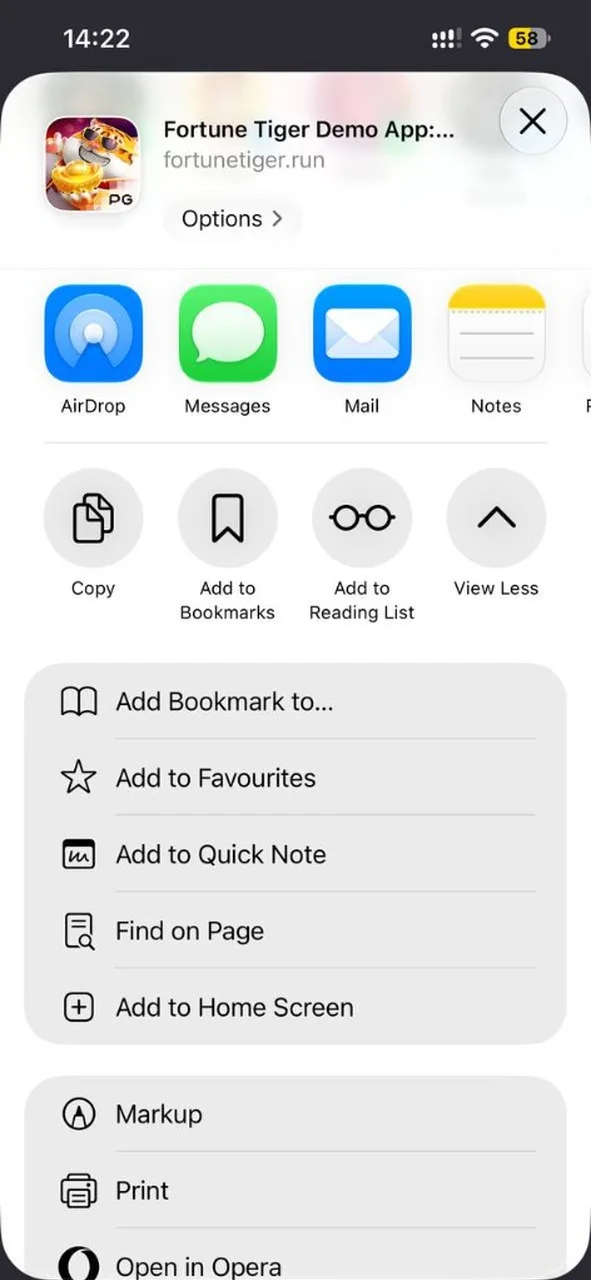
Complete the 3-step tour — then copy the Safari link below
You're ready — open the demo in Safari
Paste the link in Safari's address bar, then repeat the 3 steps above on the demo page.
Open Safari and paste in the address bar
Why install?
Katika takriban dakika moja, Fortune Tiger itakuwa kwenye Skrini yako ya Mwanzo — skrini kamili, mguso mmoja, mtiririko uleule wa kila siku wa programu unazopenda. Ikoni inabaki mahali unapotarajia, inafunguka kwenye dirisha lake na inahisi kawaida tangu uzinduzi wa kwanza. Apple iliweka njia hii rasmi katika Safari; hatua tatu hapa chini ni njia ileile mamilioni hutumia — na matokeo yanalingana na programu iliyosakinishwa kawaida.